SE Swedish
GB English (UK)
US English (US)

Contact Us

If you still have questions or prefer to get help directly from an agent, please submit a request.
We’ll get back to you as soon as possible.

Please fill out the contact form below and we will reply as soon as possible.

  • Contact Us
English (UK)
SE Swedish
GB English (UK)
US English (US)
  • Home
  • For users
  • Settings - Users

How can I allow access to the camera in the app?

Written by Robin Göransson

Updated at May 18th, 2026

Contact Us

If you still have questions or prefer to get help directly from an agent, please submit a request.
We’ll get back to you as soon as possible.

Please fill out the contact form below and we will reply as soon as possible.

  • For users
    Get started - Users Settings - Users Expense and reports - Users Corporate cards - Users Other - Users What is new in the new app? New Web Interface
  • For administrators
    Get started – Administrator Settings – Administrator Expense and reports – Administrator Corporate cards – Administrator Other – Administrator
  • For Partner administrator
    Settings – Partners Consultant – Partners Other – Partners
  • Other
  • Videos
  • Kvitto & Resa
+ More

Table of Contents

This article applies to the following countries

This article applies to the following countries

  • All countries


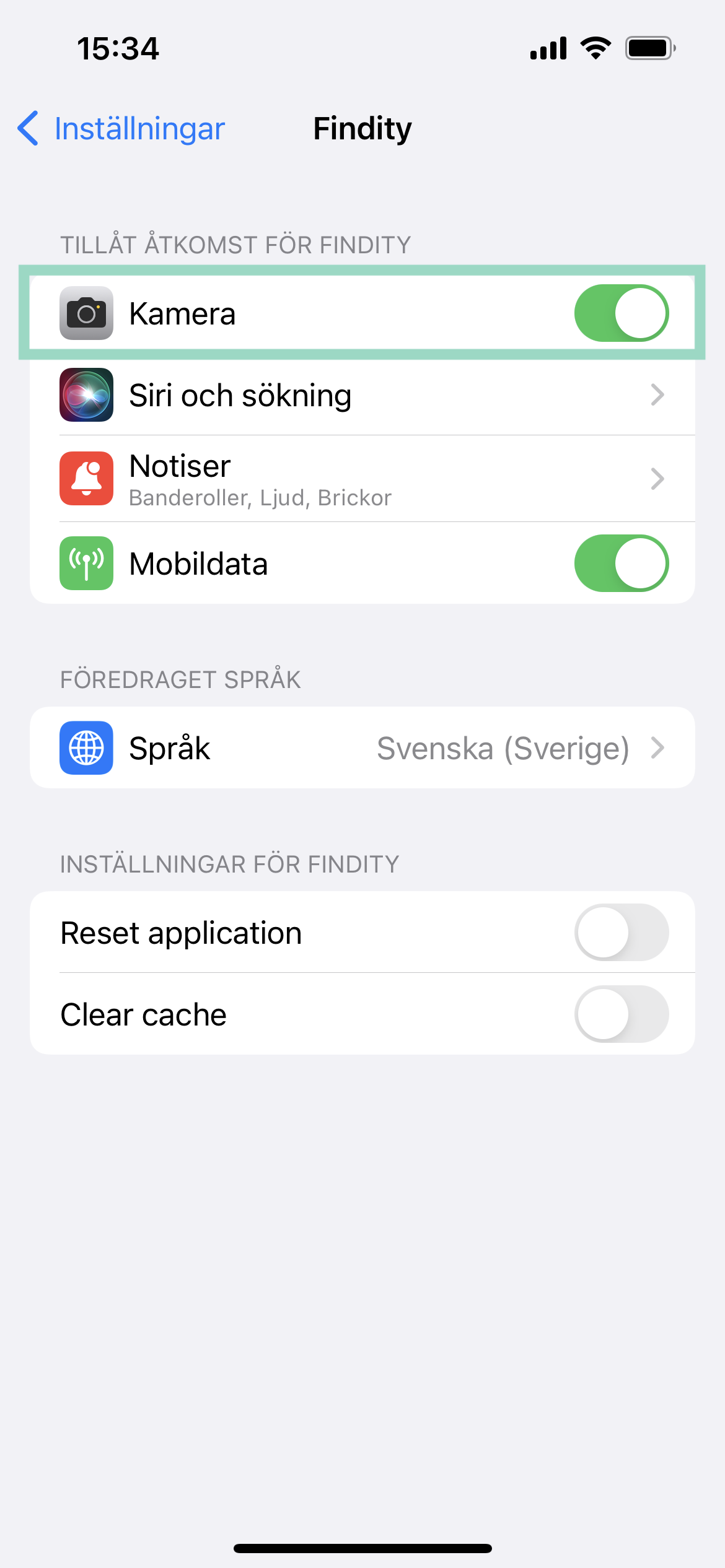
Go to the settings on your phone. Scroll to or search for your expenses app and click on it. Then check the box next to Camera to grant the app access to the camera.

grant access camera feature users app settings app camera access app permit

Was this article helpful?

Yes
No
Give feedback about this article

Related Articles

  • Can I have the same email address linked to several different organisations?
  • Can I e-mail my receipts from several different e-mail addresses?
  • How do I change my notifications preferences in the app?
  • My expenses have been sent to the wrong approver. How do I change that setting?
  • I missed the e-mail about activating my user. Can you send it to me again?
  • Product
    • Expense claims
    • Per diem
    • Mileage
    • Integrations
    • White label
    • Reseller
  • Partner solution
    • Accounting & Payroll
    • Financial Software
    • Card Providers
  • Why Findity
    • Contact
    • Newsroom
    • Careers
  • Resources
    • Blog
    • Integration & API
    • Terms of Use
  • Pricing
    • Pay per user, not by license. Scale up and down as you need.
  • Facebook
  • LinkedIn
  • Privacy policy
  • Privacy policy UK
  • Support

Knowledge Base Software powered by Helpjuice

Expand