SE Swedish
GB English (UK)
US English (US)

Contact Us

If you still have questions or prefer to get help directly from an agent, please submit a request.
We’ll get back to you as soon as possible.

Please fill out the contact form below and we will reply as soon as possible.

  • Contact Us
English (UK)
SE Swedish
GB English (UK)
US English (US)
  • Home
  • For users
  • Expense and reports - Users

How do I register per diem?

Written by Robin Göransson

Updated at May 18th, 2026

Contact Us

If you still have questions or prefer to get help directly from an agent, please submit a request.
We’ll get back to you as soon as possible.

Please fill out the contact form below and we will reply as soon as possible.

  • For users
    Get started - Users Settings - Users Expense and reports - Users Corporate cards - Users Other - Users What is new in the new app? New Web Interface
  • For administrators
    Get started – Administrator Settings – Administrator Expense and reports – Administrator Corporate cards – Administrator Other – Administrator
  • For Partner administrator
    Settings – Partners Consultant – Partners Other – Partners
  • Other
  • Videos
  • Kvitto & Resa
+ More

Table of Contents

This article applies to the following countries

This article applies to the following countries

  • All countries


Click on the plus sign at the bottom center and select Per diem.


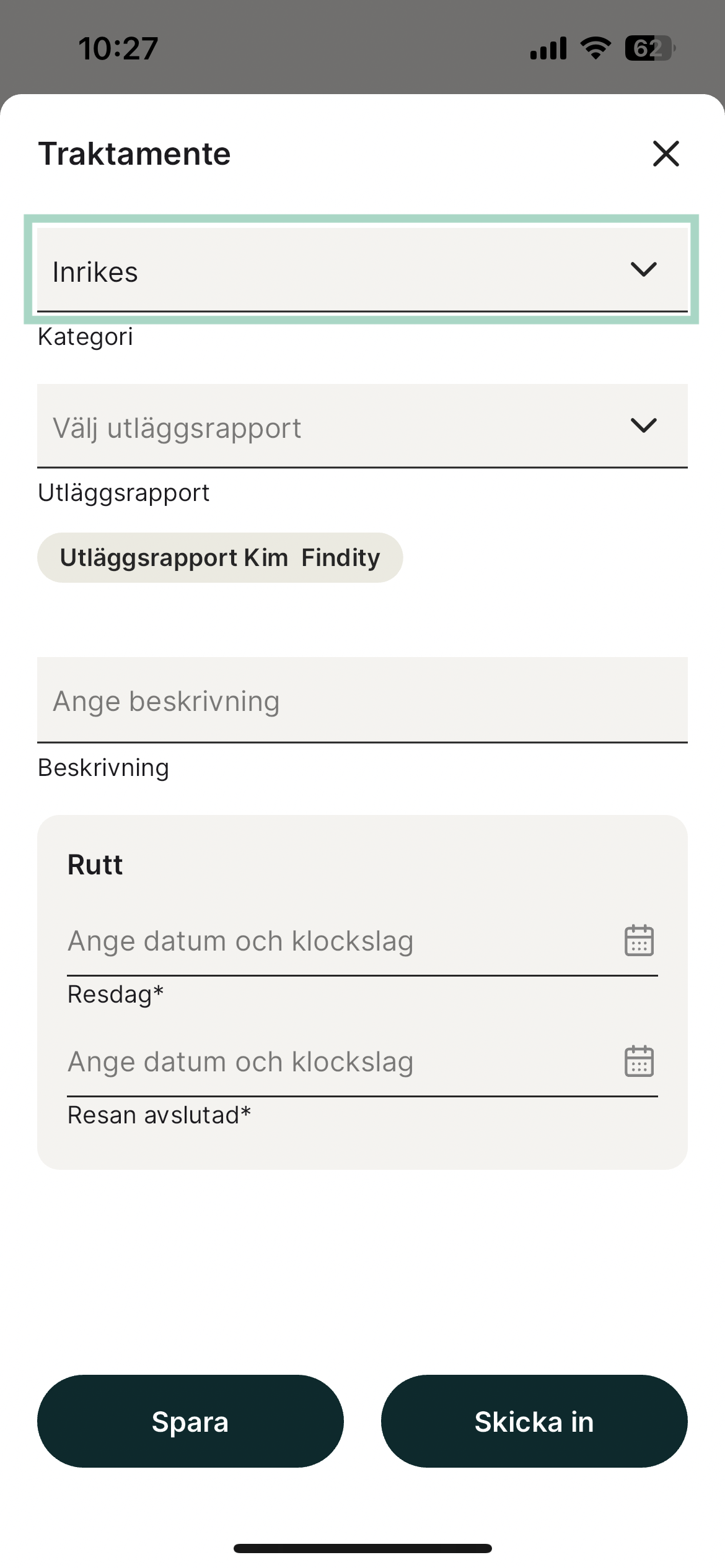
Click in the field at the top to choose between Domestic or International per diem.


Domestic per diem
In the field for Travel route, click on the line Travel day and select the date and time the travel started.
At Travel ended, click to fill in the date and time when the travel ended. To save your per diem, click Save at the bottom left. Depending on how your organisation's settings look like, you can also choose to submit your per diem directly from this view without saving it and adding it to a report.


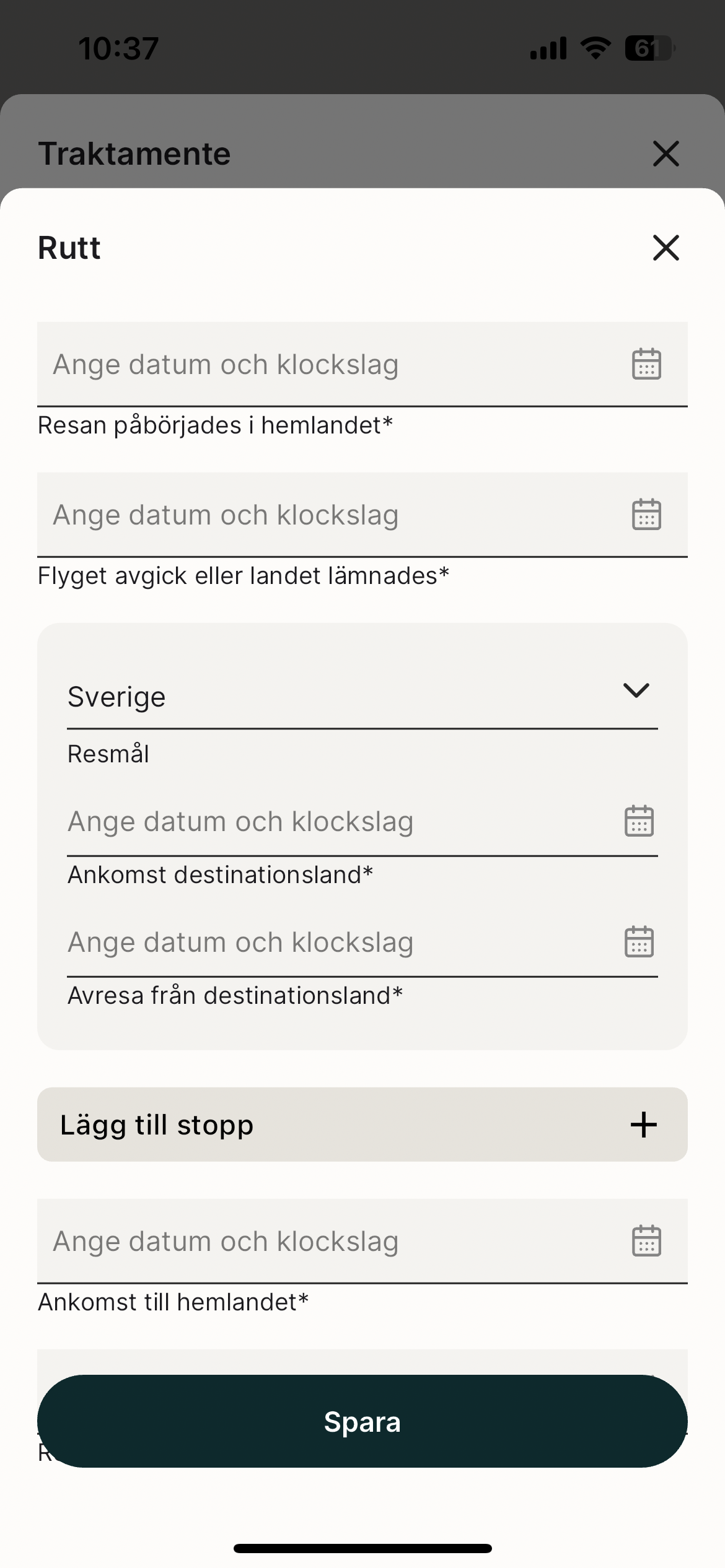
International per diem
Click in the field for Travel route at the bottom of the per diem. Enter the date and time the travel began and ended. You also need to fill in destination for international per diem. To save your per diem, click Save at the bottom.
Just like with a domestic per diem, after filling in your travel route, you can choose to either save or submit your per diem.


Click Save when you're done.

per diem travel allowance travel reimbursement

Was this article helpful?

Yes
No
Give feedback about this article

Related Articles

  • How do I add an expense?
  • I made a mistake in my expense report, how can I get my report back so I can make the changes?
  • I have registered my receipt in the wrong organisation, can I move that to another organisation?
  • Can I email my receipts to the service?
  • Can I split an expense into two separate expenses?
  • Product
    • Expense claims
    • Per diem
    • Mileage
    • Integrations
    • White label
    • Reseller
  • Partner solution
    • Accounting & Payroll
    • Financial Software
    • Card Providers
  • Why Findity
    • Contact
    • Newsroom
    • Careers
  • Resources
    • Blog
    • Integration & API
    • Terms of Use
  • Pricing
    • Pay per user, not by license. Scale up and down as you need.
  • Facebook
  • LinkedIn
  • Privacy policy
  • Privacy policy UK
  • Support

Knowledge Base Software powered by Helpjuice

Expand